Cleaning & Caring for Your Erae
This guide covers both the Erae Touch (first generation) and the Erae 2 (current generation). The cleaning rules are the same for both; the main difference is that the Erae 2's silicone skin is replaceable, so wear is never permanent.
What NOT to use
Warning: Never use abrasive pads, rough cloths, or spray cleaners applied directly to the surface. These can damage the silicone coating on the playing surface over time.
- No abrasive pads or rough cloths
- No spray cleaners applied directly to the surface (dampen a cloth instead)
- No soap or detergent
Cleaning the playing surface
For routine cleaning, a slightly damp sponge or a soft white cloth with plain water is all you need:
- Dampen a soft white cloth or sponge with a small amount of clean water.
- Wring it out thoroughly: the cloth should feel barely damp, not wet.
- Wipe the surface gently with light, even strokes.
- Let the surface air-dry completely before powering the device on.
For stubborn marks or stains that water alone will not lift, a cloth lightly dampened with isopropyl alcohol works well and is safe for the silicone surface. Use it sparingly, spot-clean the stain, then follow up with a plain water wipe and let the surface air-dry before powering the device on.
Avoid pressing hard while wiping. The playing surface contains thousands of pressure sensors, and scrubbing aggressively can affect their calibration over time.
Removing dust and debris
For dust, lint, or dry particles caught around the LED cells or edges:
- Use a can of compressed air held at roughly 45 degrees, keeping the nozzle a few centimetres from the surface.
- Work in short bursts; do not hold the trigger continuously.
- Never point the nozzle directly down onto a single sensor cell at close range.
Protecting the silicone surface from oils
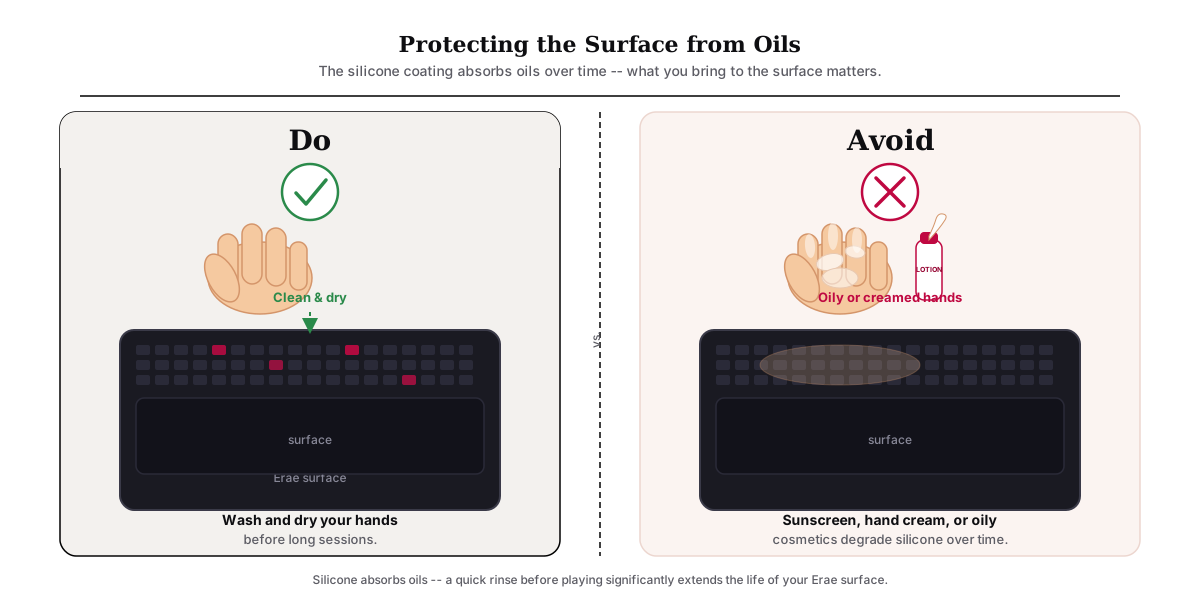
The silicone coating naturally absorbs oils and greasy residue from hands, which can affect the feel of the surface over time. A few habits help:
- Play with clean, dry hands. Wash and dry your hands before long sessions.
- Wipe the surface after use. A quick, dry wipe after each session removes light residue before it can absorb.
- Avoid touching the surface with sunscreen, hand cream, or oily cosmetics on your hands. These substances are particularly hard on silicone coatings.
Sunlight and heat
- Do not leave your Erae in direct sunlight for extended periods. UV exposure degrades silicone over time, causing the surface to yellow or stiffen.
- Store the device in a cool, dry place, away from radiators, amplifiers producing heat, or car interiors on sunny days.
Erae 2: the skin is replaceable
One advantage of the Erae 2 over the original Erae Touch is that the silicone skin is designed to be replaced. Replacement skins are available from the Embodme website. For installation instructions, contact Embodme support.
Regular cleaning will extend the life of the original skin significantly, but knowing it can be replaced means you do not need to be anxious about normal wear.
Storage and transport
- Short-term storage: Keep the Erae face-up on a flat surface, or in a padded bag. Do not stack objects on top of it.
- Transport: Use a padded case or bag. Avoid placing the device face-down against rough surfaces, since friction against the sensor grid can affect calibration.
- Before moving the device: Disconnect all cables, including the power supply. On the Erae 2, remove the microSD card if you will be transporting the device in checked luggage.
- Humidity: Silicone can retain surface moisture in damp environments. If the device has been in a humid space, let it rest in a dry room for a few minutes before powering on.
If something goes wrong
| Situation | What to do |
|---|---|
| Water spill on the surface | Gently blot excess water with a dry cloth. Do not power the device on. Leave it to dry completely for at least 24 hours, then test. If problems persist, contact support. |
| Uneven sensitivity after cleaning | A gentle damp wipe should not affect sensitivity. If you notice dead zones or reduced response after cleaning, see Testing for Dead Zones and Ghost Touches. Calibration may help: see Calibrating Your Erae Surface. |
| Skin looks worn or discoloured (Erae 2) | Contact Embodme support or visit the website store for a replacement skin. |
| Skin looks worn or discoloured (Erae Touch) | The Erae Touch skin is not user-replaceable. Contact support to discuss repair options. |
For anything beyond surface cleaning, including hardware faults, physical damage, or warranty questions, contact Embodme support.